

Services, Specialists & Scheduling
Services, Specialists & Scheduling is the operational foundation of FullDay. Together, they define what your business offers, who provides it, where it happens, and when appointments can be booked.
These settings do not exist as separate features. FullDay combines them into a single scheduling engine that calculates real-time availability. That availability is what clients see on the Booking Portal and what your team works with in Booking Management — two different ways of interacting with the same underlying schedule.
Keeping these settings up to date ensures that availability remains accurate across both the Booking Portal and Booking Management. When it is out of date, availability drifts out of sync — and both the portal and the dashboard show the wrong picture.
Services
Section titled “Services”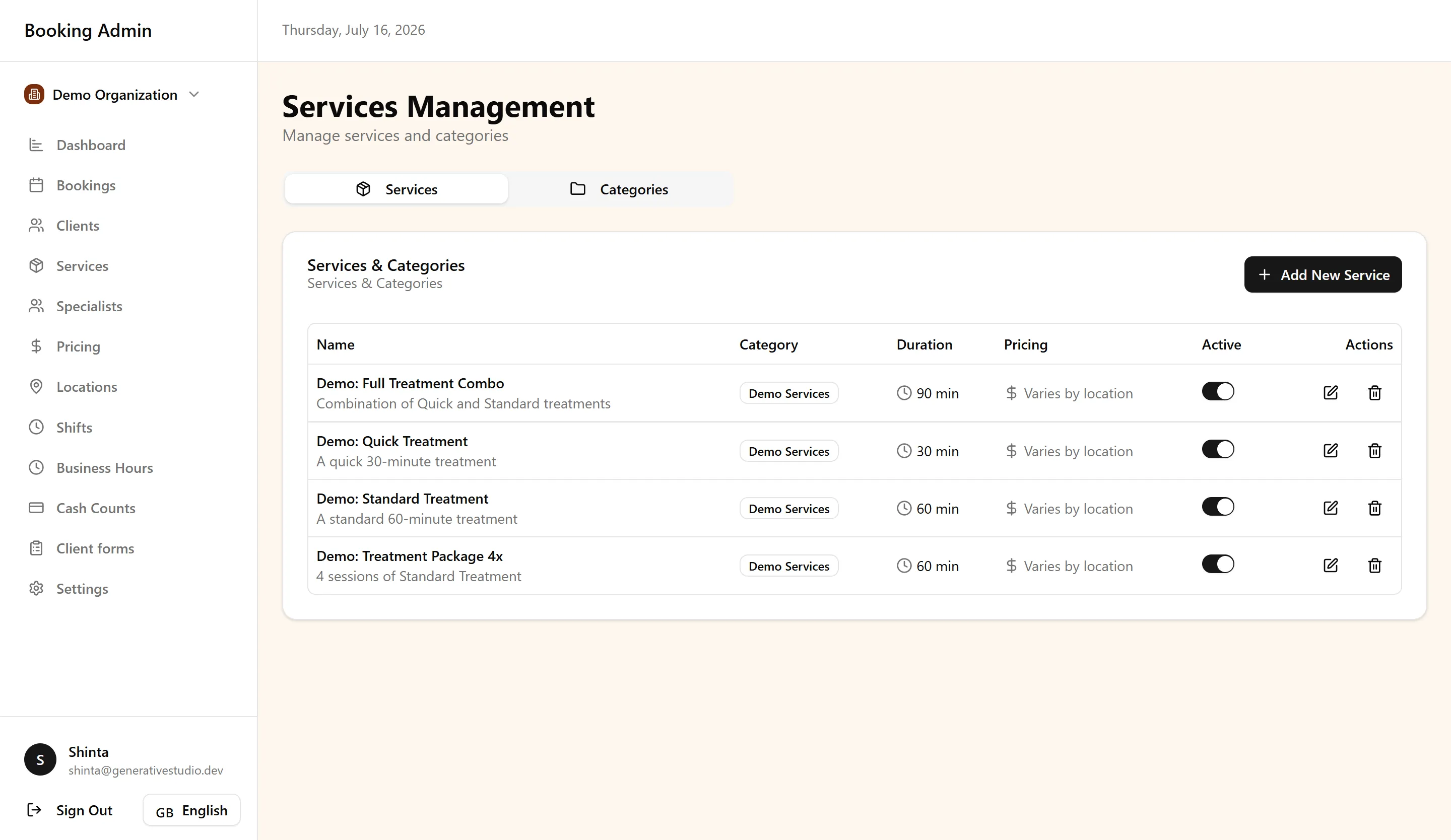
A service represents anything your business offers that clients can book. Services define what can be booked.
Services are organized into categories so related offerings stay grouped as your catalog grows. Each service has a duration, which determines how long the appointment occupies the schedule. Pricing is set at the service level, and FullDay supports location-specific pricing — including regular and sale pricing per location — so the same service can reflect different rates at different sites.
Some services span multiple visits. Packages and multi-session services let you define offerings that require more than one appointment. FullDay applies the correct booking logic for these services whether a client books online or your team creates the booking from the dashboard.
When you sell a package, you can split the package price into installments collected at the first visits. For example, a €300 package of six sessions with three installments charges €100 at each of the first three visits, then the remaining sessions are already paid. Organization settings can pre-fill a default installment count for staff sales and for the Booking Portal. Staff can change the count per sale. On the portal, clients choose Pay in N visits (pre-selected) or Pay in full. They cannot pick a different count. The count must be a whole number of at least 2 and cannot exceed the number of sessions. Leave the default empty to collect the full package price on the first visit.
A service becomes available for online booking only when it is part of your published catalog and the scheduling system can find valid combinations of location, specialist, and time to fulfill it.
Specialists
Section titled “Specialists”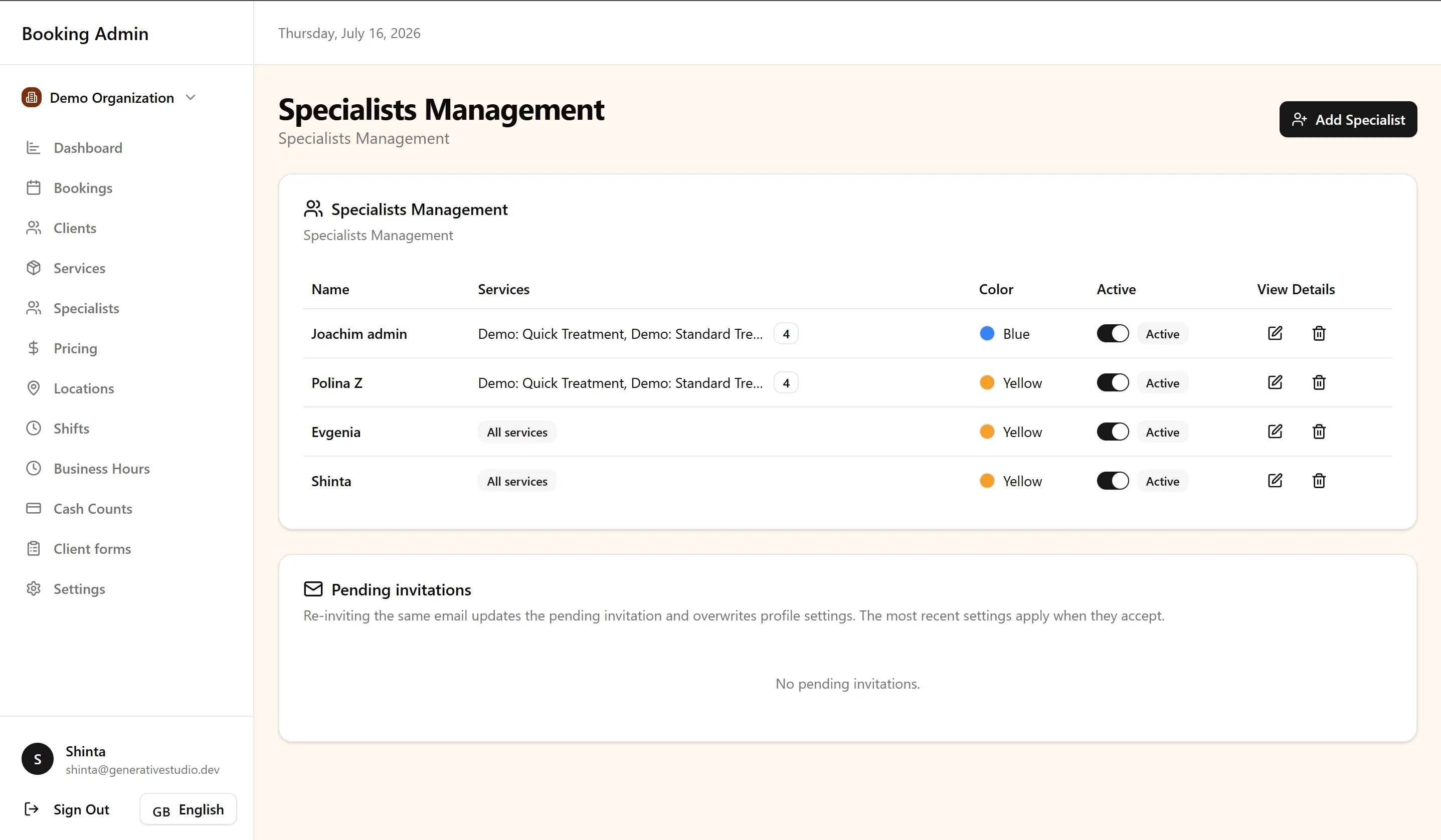
Specialists represent the people who perform bookable services. They define who can provide what clients book.
Each specialist is assigned to the services they are qualified to perform. Assignment alone is not enough — a specialist must also have an available schedule before they appear as bookable. FullDay evaluates both: the service assignment and the specialist’s working time.
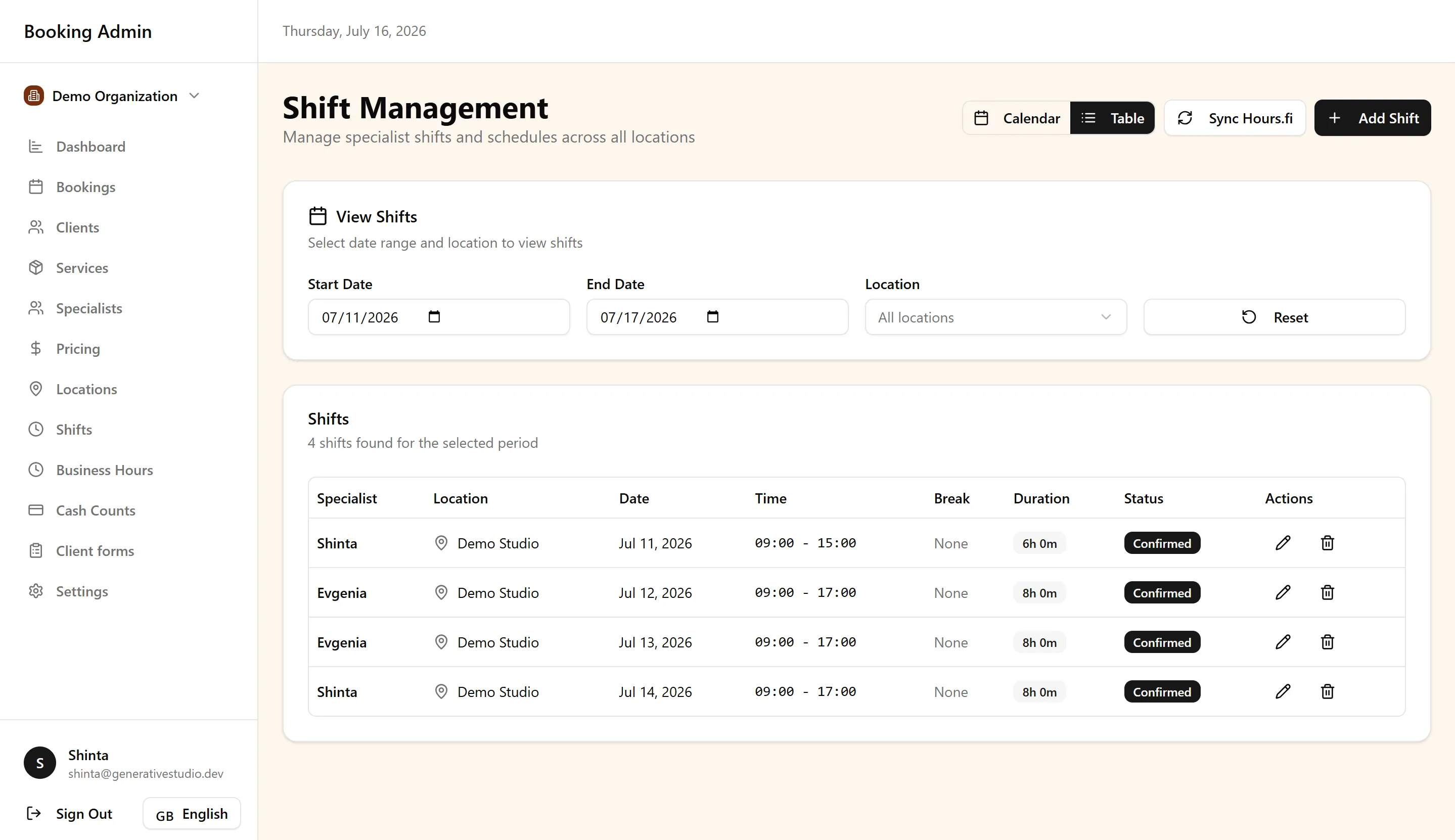
Specialist availability comes from shifts — the specific hours a specialist is scheduled to work — layered on top of your organization’s broader scheduling settings. When a specialist has multiple service assignments and active shifts at a location, they can appear as an option for any of those services during their working hours.
If you delete a shift with active bookings that overlap it and apply to its specialist, FullDay warns you first. The bookings are not cancelled, and you can still delete the shift.
Multi-specialist support means several team members can deliver the same service. The scheduling engine considers all qualified, available specialists when generating open times — so clients are not limited to a single provider when others can fulfill the same booking.
Scheduling
Section titled “Scheduling”Scheduling defines when bookings are possible. Rather than treating business hours, shifts, and rules as isolated settings, think of them as layers that refine the same timeline.
Business hours set the general operating window for each location — the baseline hours during which your business allows bookings. Specialist shifts narrow that window further to the hours individual team members are actually working. A slot must fall within both the location’s operating hours and the assigned specialist’s shift to be valid.
Scheduling rules refine availability beyond hours and shifts. FullDay includes gap handling and scheduling rule overrides that adjust how time slots are calculated — for example, controlling spacing between appointments or applying organization-specific scheduling constraints.
The result is availability generation: the system evaluates all layers together and produces the open times that can actually be booked.
Locations
Section titled “Locations”Locations define where services are delivered. FullDay supports multi-location operations, so a single organization can run several sites — each with its own schedule, pricing, and availability.
Each location operates in its own timezone, with normalization handled across the platform. This means a client booking at one site sees times in that location’s local context, and your team sees appointments correctly regardless of where they originate.
Location-specific availability means business hours, specialist shifts, and existing bookings are evaluated per location. A specialist working at two sites has separate availability at each. Location-specific pricing ensures the rate shown during booking matches the site where the appointment takes place.
Locations are not just an address on a booking — they are a dimension of the scheduling engine. Every availability calculation is location-aware.
How availability is generated
Section titled “How availability is generated”Understanding how FullDay builds open times helps you configure your business with confidence. The engine follows a chain of decisions:
Service → Location → Specialist → Business Hours → Specialist Shift → Scheduling Rules → Real-time Availability → Booking Portal → Booking
- Service — What is being booked, and how long does it take?
- Location — At which site should this service be delivered?
- Specialist — Who is qualified and scheduled to provide it?
- Business Hours — Is the location open at this time?
- Specialist Shift — Is the assigned specialist working at this time?
- Scheduling Rules — Do gap handling and other rules allow this slot?
- Real-time Availability — Is the slot still open, given existing bookings?
- Booking Portal — The client only sees times that passed every check above.
- Booking — A confirmed appointment immediately updates availability for everyone.
If any step fails, that time is not offered. This is why accuracy across services, specialists, locations, and schedules matters — a gap in any layer produces incorrect availability.
Real-time scheduling
Section titled “Real-time scheduling”FullDay recalculates availability immediately whenever something changes. A new booking, cancellation, reschedule, shift update, or scheduling change affects what is shown across the platform right away.
This applies equally to the Booking Portal and Booking Management. A walk-in booking added from the dashboard removes that slot from online availability just as a portal booking removes it from your team’s view. A cancelled appointment frees the time for other clients instantly.
There is no separate schedule for online and in-person booking. One engine, one source of truth — updated in real time. Because all scheduling data is shared, every part of the platform always works from the same source of truth.
Best Practices
Section titled “Best Practices”- Keep services accurate before opening online booking — Duration, pricing, and category details directly affect what clients can book and how slots are calculated.
- Review specialist schedules regularly — Outdated shifts are one of the most common causes of incorrect availability.
- Configure business hours before publishing your booking page — Operating hours are the baseline every other scheduling layer builds on.
- Use packages for multi-session services — Let FullDay handle multi-visit logic rather than treating each session as a separate, unrelated service.
- Keep locations and pricing synchronized — When rates or hours change at a site, update the location settings so booking reflects current conditions.
- Think of availability as the result of all settings working together — Troubleshooting a scheduling issue usually means checking the full chain, not a single setting in isolation.
Next steps
Section titled “Next steps”Continue building on your scheduling foundation with these guides:
-
Guided Onboarding — Create the first specialist, service, and generated shifts.
-
Booking Portal — See how clients experience the availability your scheduling setup produces.
-
Booking Management — Manage bookings that draw from the same real-time schedule.
-
Clients — Understand how client records connect to the bookings your scheduling system supports.
-
Locations & Organization Settings — Configure locations, branding, and organization details that shape your booking experience.
-
AI Assistants. Connect Claude or ChatGPT to create, update, or cancel shifts with admin permissions.
For common questions about services, specialists, and scheduling, see the FAQ.