

Integrations
Integrations allow FullDay to connect with external services that extend the platform’s capabilities. Rather than replacing specialized providers, FullDay coordinates them as part of a single business workflow.
This guide explains how integrations support your organization and how they fit into everyday operations.
Why integrations matter
Section titled “Why integrations matter”Most businesses rely on multiple software providers. Instead of requiring manual work between separate systems, integrations allow information to move automatically where it is needed.
Examples include:
- Processing subscription payments
- Delivering transactional emails
- Sending SMS notifications
- Synchronizing scheduling data
- Supporting future platform extensions
Integrations reduce repetitive work while helping different parts of your business operate together.
Core integrations
Section titled “Core integrations”FullDay includes integrations that support several core business functions.
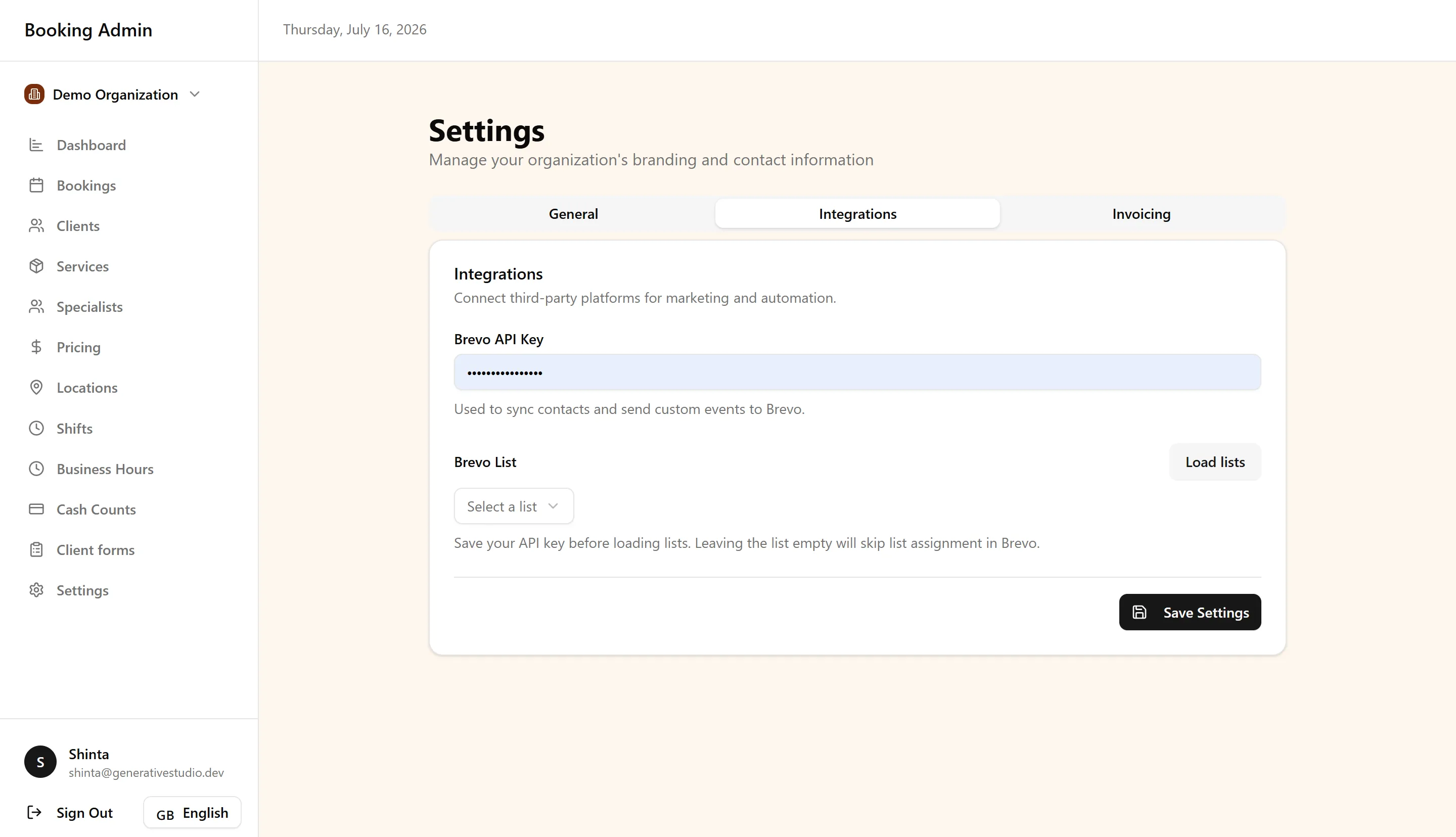
Stripe powers subscription billing and recurring payments for your organization.
Brevo provides the infrastructure for transactional email delivery, including communications generated throughout the platform.
Communication services support automated notifications and customer messaging.
Support channels (email, Facebook Messenger, and Instagram) are connected from the same Integrations settings. Once enabled, incoming conversations appear in the Customer Support inbox.
AI assistants (early access) let staff connect Claude or ChatGPT to Full Day by signing in and approving the connection, using the same permissions they already have in the dashboard.
Additional integrations may become available as the platform evolves without changing how your organization manages bookings and clients.
Security and reliability
Section titled “Security and reliability”External services handle specialized tasks while FullDay remains the central source of business information.
Client records, bookings, scheduling, and operational data stay within the platform, while connected providers perform services such as payment processing or message delivery.
Best Practices
Section titled “Best Practices”- Connect only the services your organization uses.
- Keep integration settings up to date.
- Review connected services periodically.
- Use integrations to automate repetitive operational tasks.
- Treat FullDay as the central place for managing business information.
Next steps
Section titled “Next steps”Continue exploring related parts of the platform:
- Billing & Subscriptions — Learn how subscription payments are managed.
- Forms & Documents — See how document delivery fits into the client workflow.
- Reports & Finance — Understand how usage data contributes to reporting.
- Locations & Organization Settings — Configure the organization settings used by connected services.
- Customer Support. Handle incoming conversations from the channels you connect here.
- AI Assistants. Connect Claude or ChatGPT for day-to-day booking and shift work.
For common questions about integrations, see the FAQ.