

Forms & Documents
Forms & Documents allow businesses to collect client information digitally, replace paper-based paperwork, and maintain organized records throughout the customer journey.
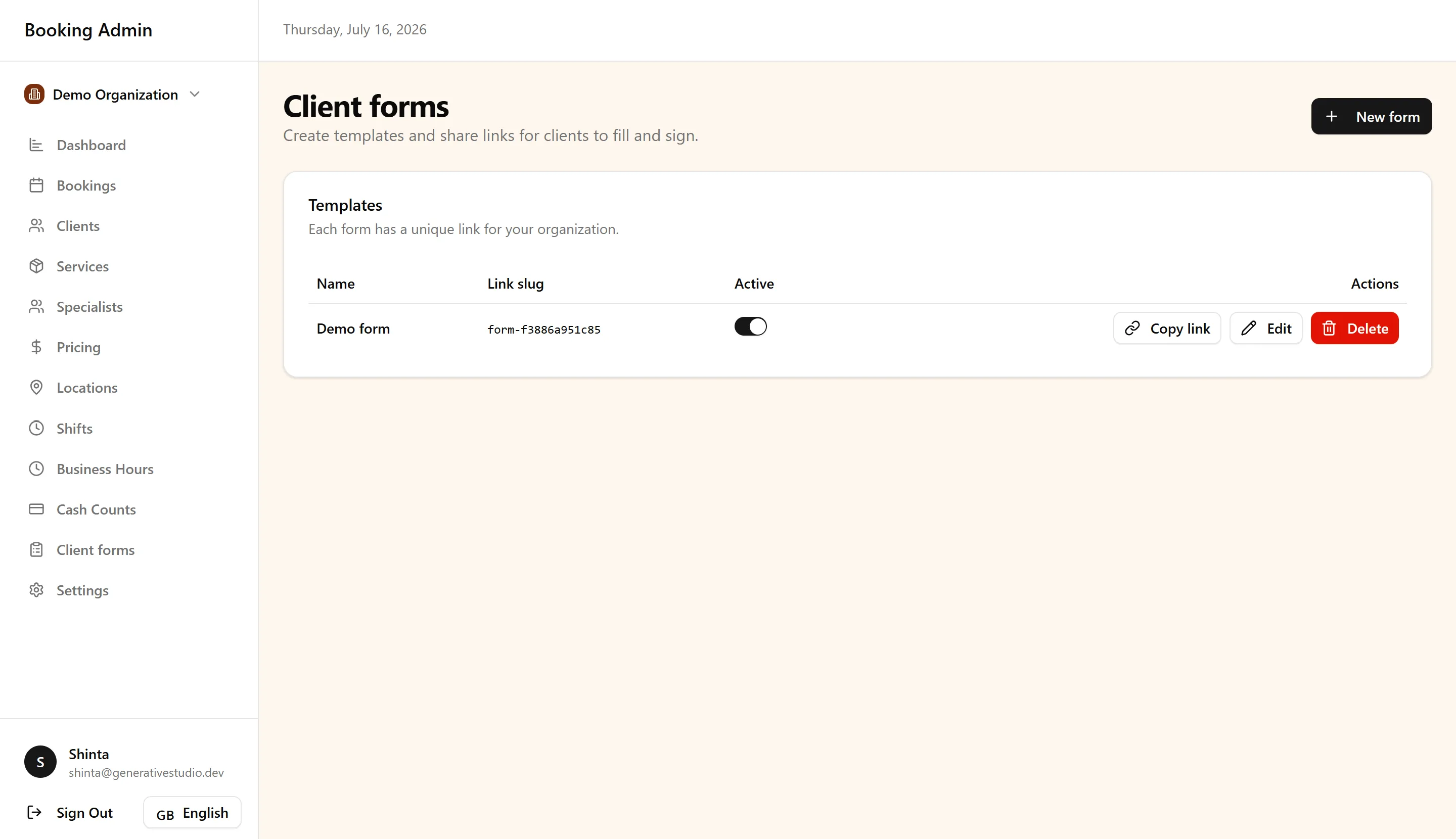
Rather than treating forms as standalone files, FullDay manages them as part of a complete digital document workflow. Every completed document becomes part of the client’s history and remains available for future reference.
This guide is intended for business owners and administrators responsible for managing client documentation.
Form Templates
Section titled “Form Templates”Form Templates are reusable documents designed to collect the same information from multiple clients.
Instead of creating a new document for every appointment, businesses create templates that can be completed whenever needed.
Templates support:
- Standardized information collection
- Consistent document formatting
- Multi-language versions
- Reuse across multiple appointments
Keeping templates consistent helps ensure every client receives the same experience.
Completing Forms
Section titled “Completing Forms”When a form is assigned, clients complete a dynamic digital version rather than a static document.
Depending on your business workflow, forms may be completed before an appointment or during the client visit.
The goal is to gather accurate information while providing a simple and convenient experience for clients.
Digital Document Workflow
Section titled “Digital Document Workflow”Forms & Documents follow a single digital workflow:
Form Template → Client completes the form → Digital signature is collected → PDF is generated automatically → Document is stored securely → Signed copy is emailed automatically → Document becomes part of the client record
Each stage builds on the previous one.
Businesses maintain reusable templates, while every completed form becomes an individual client document. After signing, the document is automatically converted into a PDF, stored securely, emailed to the client, and linked to the client’s record.
Digital Signatures
Section titled “Digital Signatures”Digital signatures allow clients to approve documents electronically without printing or scanning paperwork.
Once a client signs a completed form, the signature becomes part of the final PDF and remains attached to the client’s document for future reference.
Document Management
Section titled “Document Management”Completed forms become permanent client documents rather than temporary submissions. Each document remains connected to the associated client and can be referenced alongside bookings and other client information.
Completed documents are securely stored, automatically converted into PDFs, delivered to the client by email, and preserved as part of the client’s history.
Benefits
Section titled “Benefits”Using digital forms helps businesses simplify everyday operations.
Key benefits include:
- Paperless documentation
- Consistent information collection
- Centralized client records
- Faster document handling
- Automatic document delivery
- Improved operational efficiency
By integrating documentation directly into the booking workflow, businesses spend less time managing paperwork and more time serving clients.
Best Practices
Section titled “Best Practices”To maintain an organized document workflow:
- Create reusable templates instead of duplicate forms.
- Review templates regularly to keep them up to date.
- Use multilingual templates when serving clients in multiple languages.
- Review completed documents before appointments when appropriate.
- Treat completed documents as part of each client’s long-term record.
Next Steps
Section titled “Next Steps”Continue exploring related parts of the platform:
-
Clients — Learn how completed documents become part of each client’s long-term record.
-
Booking Management — Understand how documents support day-to-day appointment management.
-
Locations & Organization Settings — Learn how organization settings apply across documents, bookings, and client records.
For common questions about Forms & Documents, see the FAQ.