

Billing & Subscriptions
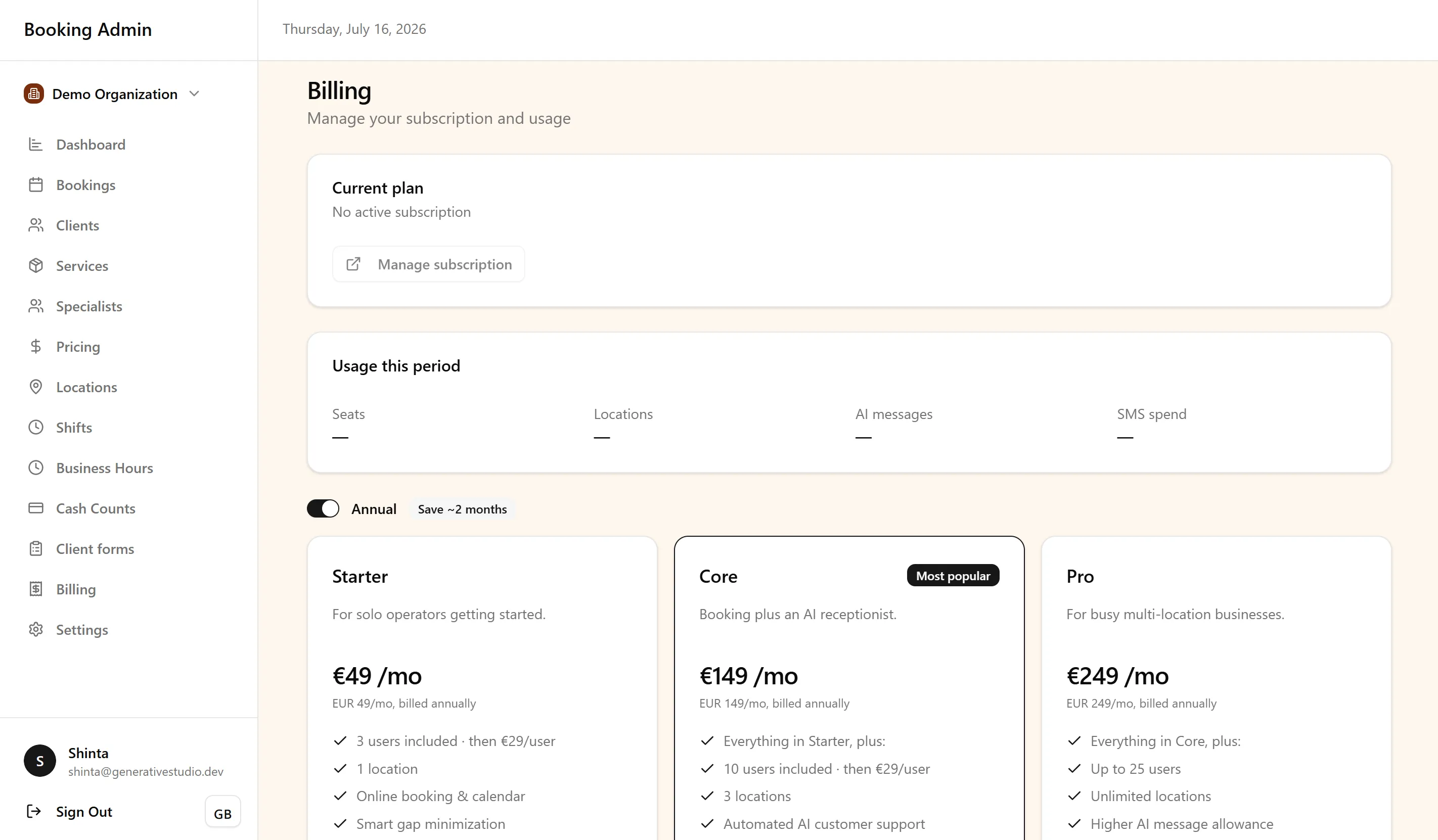
Billing & Subscriptions help your organization manage access to FullDay as an operational SaaS platform. Subscriptions are managed at the organization level, so billing supports the business as a whole rather than individual users or bookings.
This guide is intended for business owners and administrators responsible for managing the organization’s subscription setup.
Subscription plans
Section titled “Subscription plans”FullDay offers subscription plans designed to support businesses at different stages of growth. Smaller organizations can start with a plan that meets their current operational needs, while larger or multi-location businesses can move to plans that provide additional capacity and platform capabilities.
Subscriptions can evolve alongside your organization as you add more users, locations, or services. The available plans and their included features may change over time, so refer to the current pricing page for the latest information.
Organization subscription management
Section titled “Organization subscription management”A subscription belongs to the organization. This means one subscription can support the locations, users, bookings, communication, and operational modules that belong to that organization. As your business grows, the subscription can evolve with it — for example, when adding more users, locations, or platform capabilities.
Usage and add-on foundation
Section titled “Usage and add-on foundation”FullDay’s billing infrastructure is designed to support both core subscriptions and future usage-based or add-on modules. This gives the platform flexibility to support additional services over time while keeping billing centralized under the organization.
The goal is to let businesses enable the capabilities they need without changing how their day-to-day operations work.
SMS spend
Section titled “SMS spend”When your organization sends SMS (for example phone verification or reminders), FullDay records the actual send cost. The amount uses the destination rate plus a small per-part markup. Billing shows this as SMS spend, rounded up to the nearest euro cent, the same amount as the invoice.
Your monthly plan price is a spend cap, not the SMS charge itself. If SMS spend reaches that cap, further SMS is blocked until the next billing period. On the booking form, clients see that SMS verification cannot be sent because the organization billing limit was reached, and they can continue without verification. The subscription fee and SMS usage are separate line items.
Best Practices
Section titled “Best Practices”To keep billing and subscriptions organized:
- Choose a plan that matches your current operational needs.
- Review your subscription as your business grows.
- Keep billing information up to date.
- Consider future locations, users, and modules when evaluating plan changes.
- Use annual billing when a longer-term setup makes sense for your organization.
Next steps
Section titled “Next steps”Continue managing your organization with these guides:
-
Locations & Organization Settings — Learn how organization settings support locations, branding, SMS configuration, and operational setup.
-
Booking Management — Understand how daily booking operations work inside your organization.
-
Integrations — Learn how payment, email, and communication services connect to your organization.
-
Forms & Documents — Explore how digital document workflows support client operations.
For common questions about Billing & Subscriptions, see the FAQ.